


National Car Rental
4.43.82K Reviews
App Specs
- Version
- 6.15.0.9354
- Updated On
- License
- Free
- Downloads
- 1,000,000+
- Developer
- EAN Services, LLC
- Categories
- Travel & Local
- Platform
- Android, iOS
Screenshots
 Analysis by AppCompare
When I’m planning a trip that depends on a rental car, the useful question is not just whether I can make a booking on my phone. I also want to know what could slow me down before pickup, what I can fix myself, and when I need to stop troubleshooting and contact the rental company. National Car Rental is built around those practical travel tasks, but its convenience depends partly on having the right reservation and membership details ready. I find it most appealing when I already know where and when I need a car, rather than when I’m still comparing every rental company in town.
Where the process can snag
The app’s booking flow sounds straightforward, but the details you enter matter. Before searching, I’d have the pickup and return locations, dates, and approximate times settled. A small mismatch in a location or time can make the results less useful, and changing plans after booking means checking the reservation rather than assuming the original search still applies.
It also helps to distinguish between choosing a vehicle and confirming the terms of a rental. I would read the reservation details carefully before relying on a particular vehicle type, price, or fuel arrangement. Filters can make a search easier, but they are most useful as a way to narrow options—not as a reason to skip the final review of what the booking actually says.
That distinction matters most when a trip has a tight connection or a fixed arrival time. A booking in the app can help organize the rental, but it does not remove the need to leave room for airport queues, travel delays, or the time it takes to reach the pickup area. I treat the app as a planning and account tool, not as a guarantee that every part of the handoff will be instant.
Checks that make setup easier
Before I depend on the app during a trip, I’d make sure I can sign in and reach the reservation information I expect to use. If I’m an Emerald Club member, checking the account details ahead of time is especially worthwhile: membership benefits are only helpful if the right account is connected to the trip.
I’d also keep the booking confirmation accessible outside the moment I’m standing at the counter. That is a simple backup for an ordinary travel problem: a phone may be low on battery, a connection may be unreliable, or I may need to double-check a time while moving between terminals. It is not a special feature of the app; it is just sensible preparation when a reservation is part of a larger journey.
On a device running an older system, compatibility is worth checking before travel. The current version is 6.13.0.6029, and the listed minimum operating system is 8.0. I wouldn’t leave an app update or sign-in check until the morning of a flight, when there may be little time to resolve an account issue.
Worth Reading Before You Choose

EA SPORTS FC Mobile 26 Is a Bigger Football Game, but It Takes Time

Flipboard Shows What News Apps Must Do Beyond the Feed

Switching to Android Auto Means Rethinking Your Driving Routine

Google Calendar Makes a Crowded Week Easier to Manage

Ludo King Makes the Most of the Minutes Between Plans

Baby Panda World Brings Quick Play to Modern Phones, but Its Game Library Feels Busy
Recovering when plans change
If a meeting runs late or a flight plan shifts, I’d open the reservation and inspect the details before making another booking. The reservation-management tools are useful for checking whether an existing plan can be modified or canceled. Taking that route first helps avoid confusion from creating a second reservation while the original is still active.
When the app does not show the change I expect, I’d pause and compare the displayed details with the confirmation I already have. Confirming that I’m signed into the relevant account and looking at the correct trip is a sensible first check. If the information still does not line up, using the company’s customer-support option is more practical than repeatedly changing fields and hoping the result updates.
For a same-day pickup, I would not assume that an on-screen change has settled every detail needed at the location. I’d allow time to confirm the revised plan through the appropriate support channel, particularly if changing the pickup time or location affects the rest of the trip. The app can make reservation management more convenient, but careful confirmation is still part of traveling well.
When the trouble is outside the app
A missing or confusing result is not automatically an app failure. Search details, account access, the reservation itself, and what is available at a rental location can all affect what a traveler sees. I’d first check the locations and times I entered, then make sure I am viewing the right account and booking. If the issue concerns a rental already in progress, customer support is a better next step than starting a fresh search.
There is also a difference between using a rental-company app and comparing the whole market. National’s app is most useful when I’m considering a National rental or managing one I have already booked. If my main goal is to compare many companies at once, a general travel search or another rental company’s app may be a better starting point. I would then use National’s app for the National-specific reservation and account tasks that matter to my trip.
Who gets the most from it
I can see this app fitting frequent renters who already prefer National, especially people who want their reservation and Emerald Club account close at hand. It can also suit an occasional traveler who has a clear destination and wants to arrange a rental without calling first. The value is less obvious for someone who rarely rents and is still deciding whether a car is even necessary; comparing public transit, rides, and rental options first may lead to a better plan.
A realistic example is a traveler arriving for a work trip, collecting a car, and returning it before an evening flight. I’d enter the travel details carefully, check the reservation before leaving home, and make sure the account I intend to use is accessible. If the return time changes after a meeting, I’d review the booking and confirm the change instead of relying on memory. That small workflow can prevent a rushed search or an avoidable mix-up when time is short.
National Car Rental is a free travel app from EAN Services, LLC. It has an Everyone content rating, an average rating of 4.4 from around 12,000 ratings, and more than 1 million installs. Those figures suggest it is an established option, but they do not tell me whether it suits a traveler who wants to compare providers or rent only once. My decision would depend more on the locations I need, the reservation details, and whether I plan to use its membership tools.
First Impressions and User Interface
As soon as I launched the National Car Rental app, I was greeted with a clean and intuitive interface. The design is sleek, with a straightforward layout that makes navigation a breeze. You know those apps where you have to dig around to find what you're looking for? Yeah, this isn't one of them. Everything you need is right there at your fingertips.
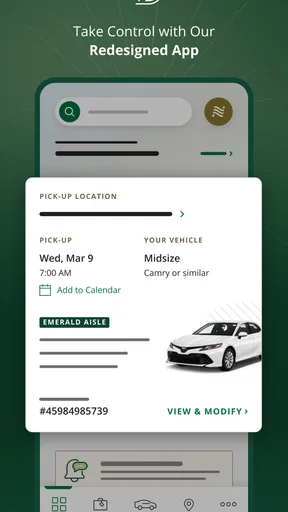
The main screen displays options for booking a car, managing your reservations, and accessing your Emerald Club account. The icons are well-organized, and the color scheme is easy on the eyes. I appreciated how the app didn’t overwhelm me with too many choices upfront. It's all about getting you on the road as quickly as possible.
Booking a Car
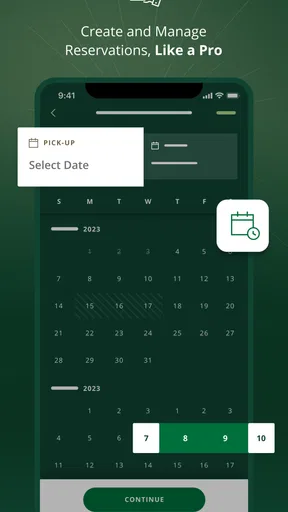
Booking a car through the app is as simple as it gets. You start by entering your pick-up and drop-off locations, along with the dates and times you need the vehicle. The app then presents you with a variety of options, catering to every need and budget.
One feature I particularly liked was the filter option, allowing me to narrow down my choices by car type, price range, and fuel policy. It’s perfect for those of us who like a little more control over our choices. Plus, the app provides detailed information about each vehicle, so you know exactly what you’re getting.
Emerald Club Benefits
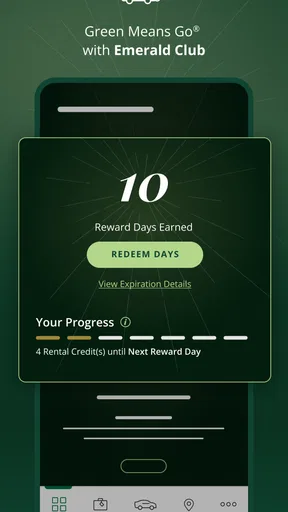
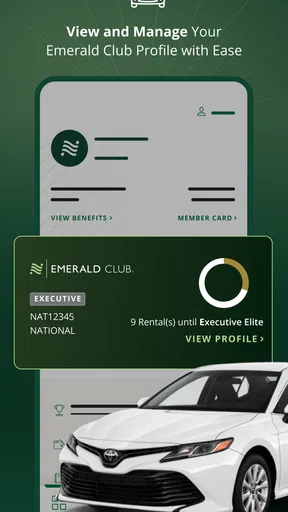
If you're a member of the Emerald Club, the app really shines. It seamlessly integrates your membership benefits, allowing you to earn and redeem rewards points. The app tracks your rentals and points in real-time, making it easy to stay updated on your status.
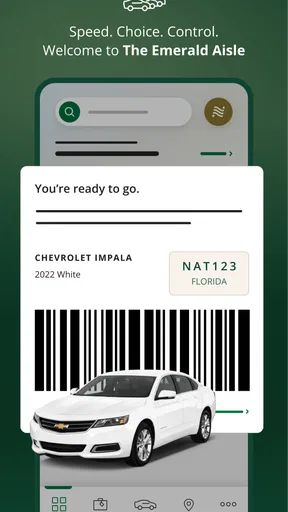
One of the coolest features for Emerald Club members is the ability to bypass the rental counter. Yes, you read that right. Just walk to the car of your choice, and you're good to go. No waiting in line, no paperwork. This is a game-changer for frequent travelers who value their time.
Managing Reservations
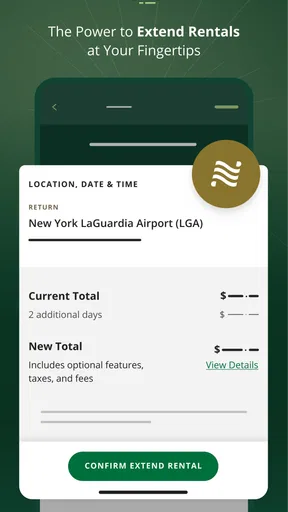
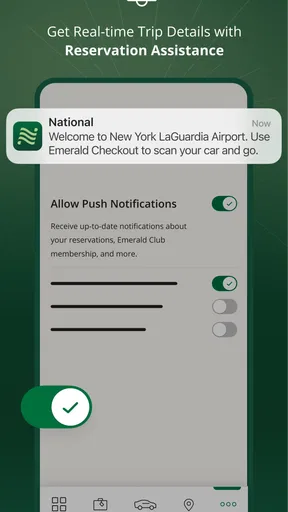
Managing your reservations is super convenient with the app. You can view, modify, or cancel your bookings with just a few taps. The app sends timely notifications and reminders, ensuring you never miss a beat. I found the reservation history section particularly useful for keeping track of past rentals.
Another handy feature is the ability to add a rental to your calendar directly from the app. It’s these little touches that make the app feel well thought out and user-centric.
Customer Support and Extras
In case you run into issues or have questions, the app offers robust customer support options. You can quickly contact customer service via phone or email, and the response times are impressive. The built-in FAQ section is also a nice touch for resolving common queries on the go.
Additionally, the app provides access to helpful extras like roadside assistance and details about local attractions. It’s like having a travel assistant right in your pocket!
Final Thoughts
Overall, the National Car Rental app delivers on its promise of making car rentals easy and efficient. Whether you're a frequent renter or just need a car for a weekend getaway, this app has got you covered. With its user-friendly interface, comprehensive features, and exclusive benefits for Emerald Club members, it’s a must-have for anyone looking to hit the road with confidence.
Ready to start your next adventure? Download the app and see for yourself why it’s a favorite among travelers worldwide. Trust me, once you’ve tried it, you’ll wonder how you ever traveled without it!
My practical verdict
I’d choose this app when I want to handle a National booking, keep its details organized, or make use of an Emerald Club account. I would not make it my only tool for comparing every rental option, and I would still review the confirmation before traveling. Used with those expectations, it is a handy companion for a planned car rental rather than a substitute for checking the details that shape the trip.
Pros
- User-friendly interface for quick bookings.
- Offers loyalty rewards and discounts.
- 24/7 customer support available.
- Wide selection of vehicles to choose from.
- Seamless integration with travel apps.
Cons
- Limited availability in some locations.
- Occasional app crashes reported.
- Pricing may vary significantly.
- Requires account for full features.
- In-app navigation can be confusing.
FAQs for National Car Rental
What features does the National Car Rental app offer?
The National Car Rental app provides a range of features to enhance your rental experience. You can easily reserve vehicles, manage bookings, and access your Emerald Club profile. The app also allows you to track rental history, view upcoming reservations, and receive real-time updates. Additionally, you can use the app to locate nearby rental locations and access roadside assistance.
Is the National Car Rental app available for both Android and iOS devices?
Yes, the National Car Rental app is available for both Android and iOS devices. You can download it from the Google Play Store for Android devices and the Apple App Store for iOS devices. The app is designed to provide a seamless experience across both platforms, ensuring you can manage your rentals on the go.
Do I need to be an Emerald Club member to use the app?
While the National Car Rental app can be used by all customers, Emerald Club members enjoy additional benefits. Membership allows for faster bookings, priority service, and access to exclusive features like Emerald Aisle service. Non-members can still use the app for basic functions such as booking and managing rentals, but joining the Emerald Club can enhance the experience.
How secure is the National Car Rental app for managing my reservations?
Security is a priority for the National Car Rental app. It uses encryption and other security measures to protect your personal and payment information. Regular updates ensure that the app adheres to the latest security standards. Users are encouraged to keep their app updated and use strong passwords for added security.
Can I modify or cancel a reservation through the app?
Yes, the National Car Rental app allows you to modify or cancel reservations directly. Simply navigate to your bookings, select the reservation you wish to change, and follow the prompts. Keep in mind that cancellation policies may vary, and fees could apply depending on the timing and terms of your booking.


